Case Study
Modernizing the Public Service Employee Survey Report (PSES): From Static PDFs to a Data-Driven Culture
This project wasn’t about redesigning a report. It was about changing how an entire organization accessed and used its data.
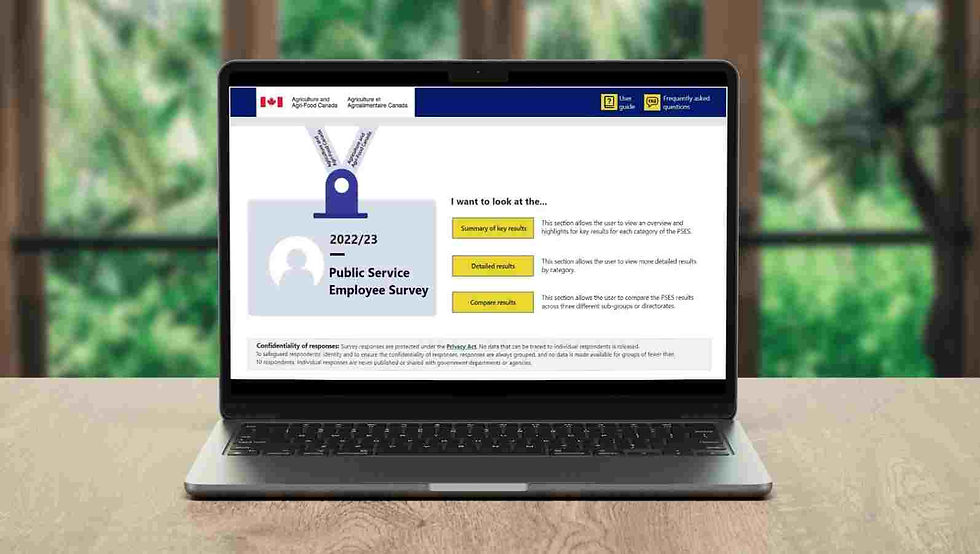
At Agriculture and Agri-Food Canada, the Public Service Employee Survey report existed as a static PDF—manually produced, difficult to navigate, and slow to reach employees. I helped transform it into a live, interactive Power BI experience, turning passive information into a
self-serve data platform for 5,000+ federal employees.
Details have been anonymized to respect organizational confidentiality.
Role: UX Researcher & Designer
Timeline: 6 weeks
Tools:
Power BI, Adobe Illustrator, Miro, Microsoft Office Suite etc.
Methods:
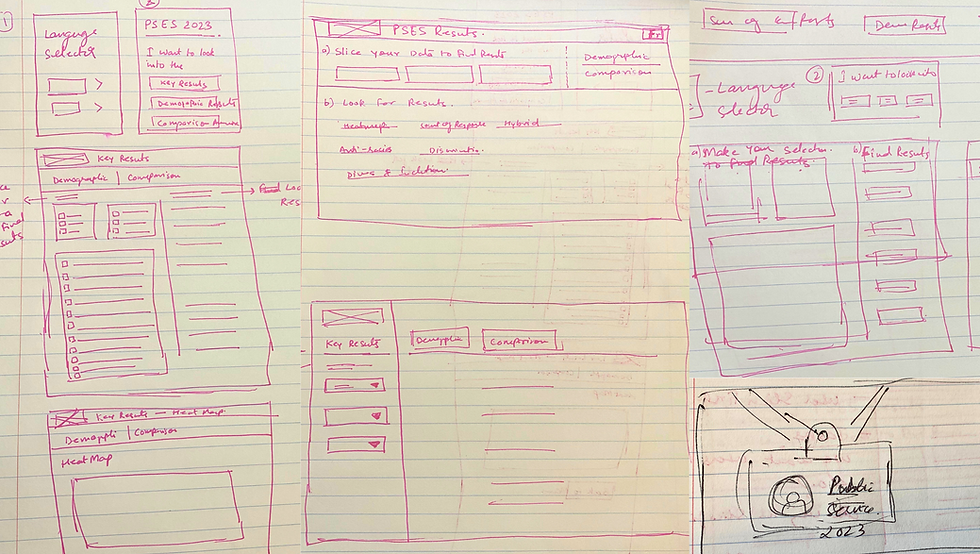
• Stakeholder listening tour • Task-based usability testing • Thematic analysis • prototyping • Wireframing
• Guerrilla testing • 5-second testing
• Accessibility design • Visual design
Understanding the Issue
For years, the Public Service Employee Survey (PSES) report at Agriculture and Agri-Food Canada (AAFC) faced a significant hurdle. Vital departmental data was trapped in static Power BI-to-PDF exports. Distribution was manual, gatekept by leadership, and often reached the broader workforce late—if at all.
The Problem:
-
Manual & inefficient process: High effort, low-reward annual manual data refreshes.
-
Distribution Bottlenecks: "Gatekeeper" distribution led to limited circulation and missed deadlines.
-
Friction in UX: Employees struggled to navigate static documents and extract relevant insights.
.png)
What was meant to be a department-wide insight tool had quietly become hard to access, difficult to use, and easy to ignore.
HR leadership recognized the gap and wanted something different — something “modern, streamlined, and accessible.”
Objective: Transform the PSES report into a self-serve, interactive platform that:
-
Eliminates manual reporting processes
-
Removes distribution barriers
-
Improves accessibility and usability
-
Enables employees to explore insights independently


.jpg)